Custom Export File Name (FTP/SFTP)
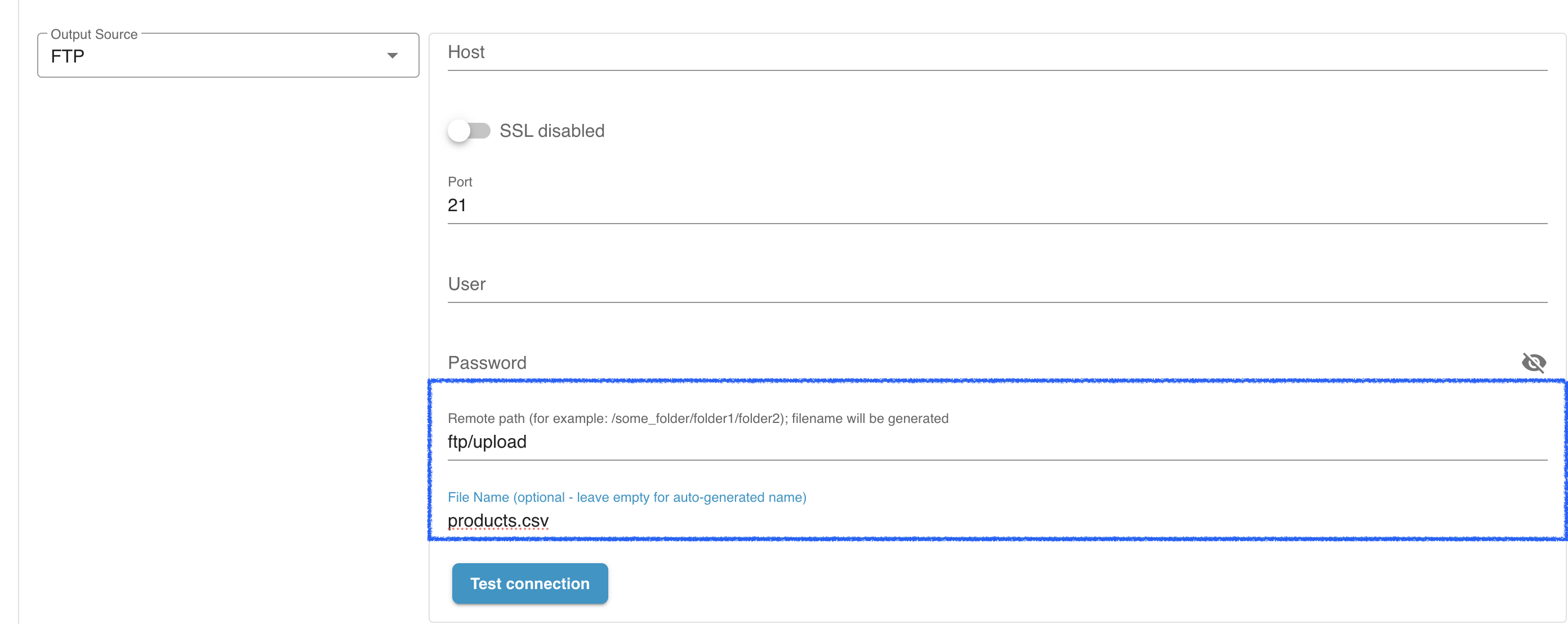
The Custom Export File Name option allows you to control how export files are named and stored when sending them to an FTP/SFTP destination. This setting is available for all Shopware export jobs.
What This Feature Does
Section titled “What This Feature Does”By default, every export job generates a unique file name, usually containing a timestamp. This prevents collisions but can be inconvenient if another system expects a fixed file name.
With the new option, you can set a custom file name that will be used for every export sent to an FTP/SFTP server. When this is enabled, the system always overwrites the existing file on the remote server.
How It Works
Section titled “How It Works”You can configure this in any export job that uses FTP or SFTP as the destination.
1. When the field is empty (default)
Section titled “1. When the field is empty (default)”- The app generates a unique file name for every export.
- Each new file is stored separately on the FTP/SFTP server.
- This is ideal for maintaining a history of exported files.
Example:
products_export_2025-01-10_12-43-21.csvproducts_export_2025-01-11_12-43-21.csv2. When you enter a custom file name
Section titled “2. When you enter a custom file name”- The app uses exactly this file name for every export.
- The previous file on the remote server is overwritten automatically.
- This is ideal when another system (ERP, BI tool, automation script) always reads the same file.
Example:
Custom name entered: products_latest.csv
Every export will overwrite this file on the server.
3. When you use date placeholders
Section titled “3. When you use date placeholders”You can include placeholders in the custom file name when every export should keep a unique name.
| Placeholder | Result | Example custom name | Example output |
|---|---|---|---|
[timestamp] | Unix timestamp | products_[timestamp].csv | products_1779809986.csv |
[datetime] | Current date and time | products_[datetime].csv | products_2026-06-19_12-43-21.csv |
You can combine placeholders, for example products_[timestamp]_[datetime].csv.
Where to Configure
Section titled “Where to Configure”You can find the setting here:
Export Job → Export Destination → FTP/SFTP Settings → Custom File Name
Enter the desired name, including extension (e.g., export.csv, stock.xml, orders.json).
If the field is left empty, the system switches back to auto-generating unique names.
Benefits
Section titled “Benefits”- Ensures consistent file names for external integrations.
- Prevents unnecessary clutter on FTP/SFTP servers.
- Provides full control over how export files are stored.
- Reduces manual clean-up when only the latest file is required.