Trigger Export via Shopware Flows
Export profiles can now be executed automatically using Shopware 6 Flow Builder.
Workflow
Section titled “Workflow”-
Go to Settings → Flow builder and add a new flow.
-
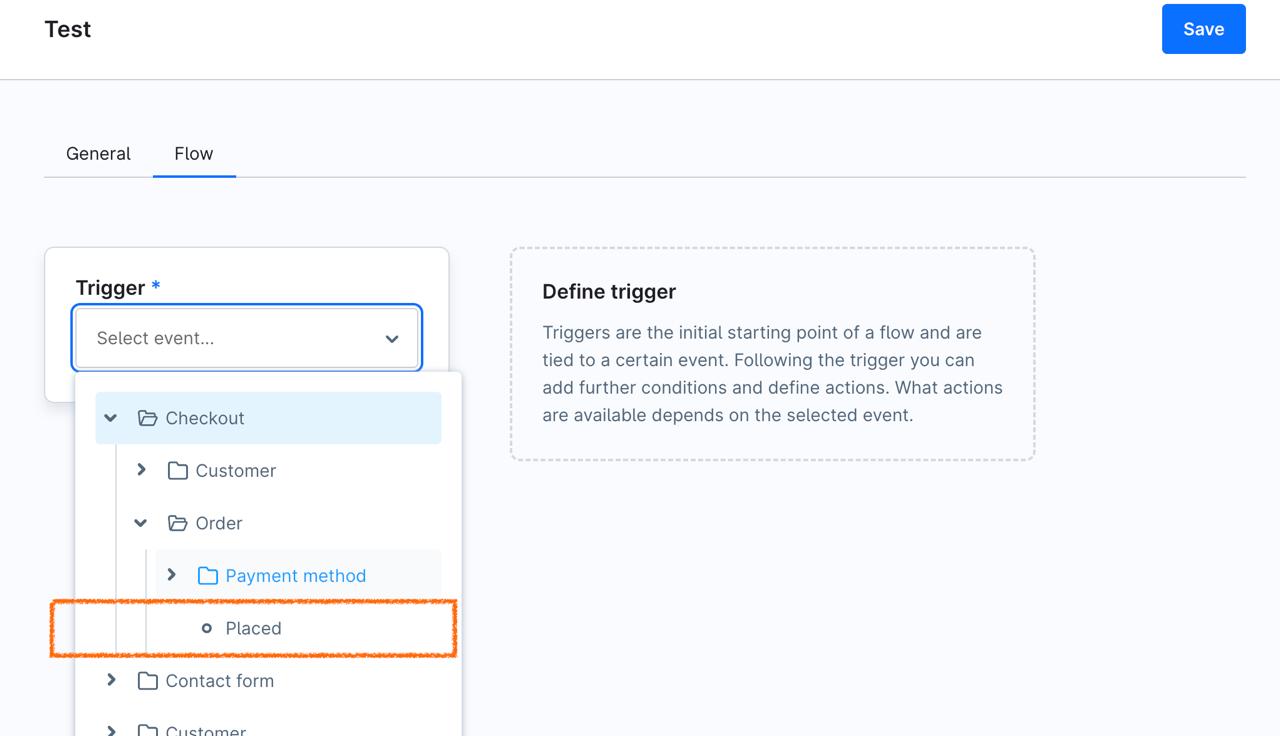
On the Flow tab, select Order Placed Event (Order - Payment Method - Placed)
-
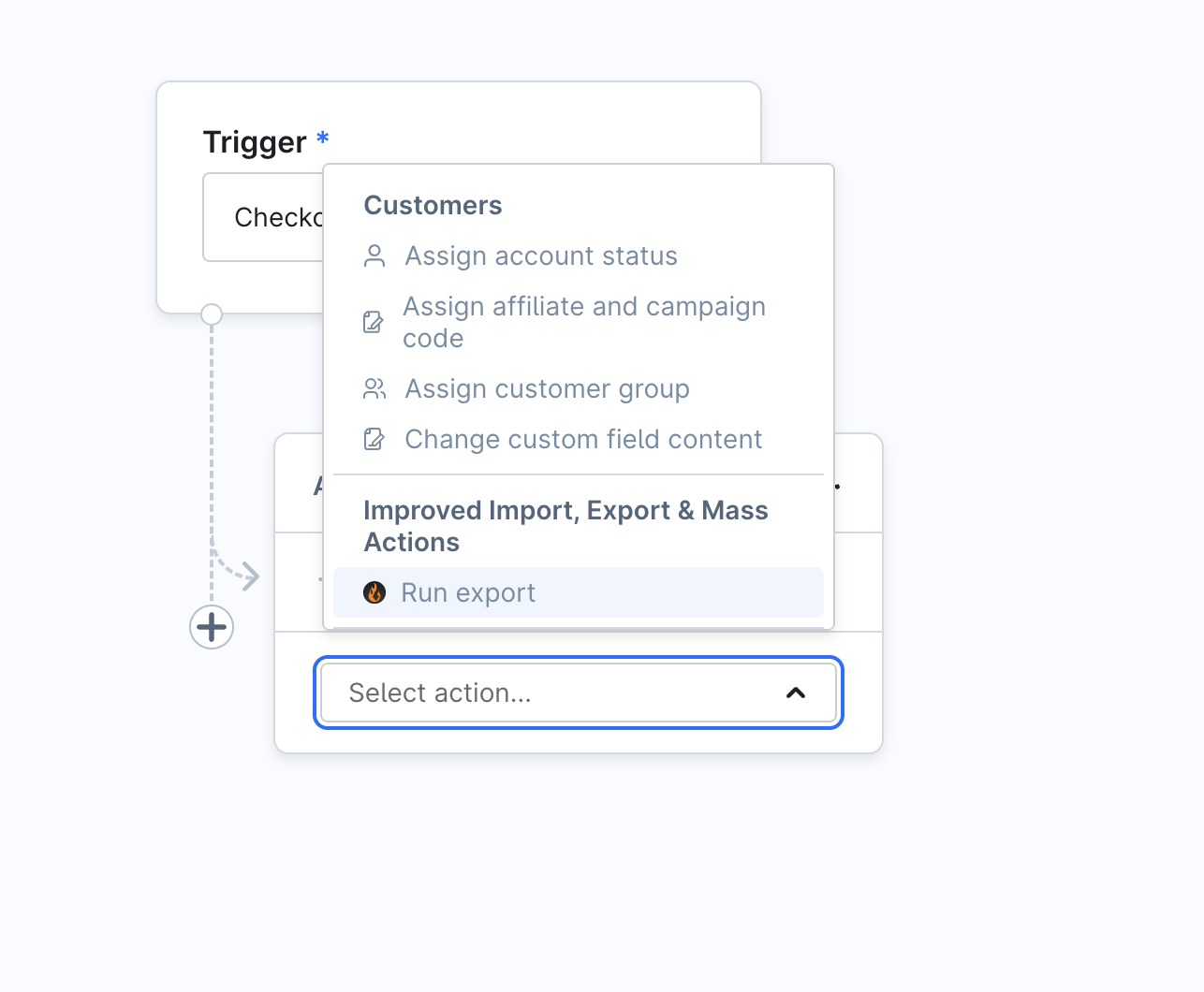
Add a new Action and select Run Export.
-
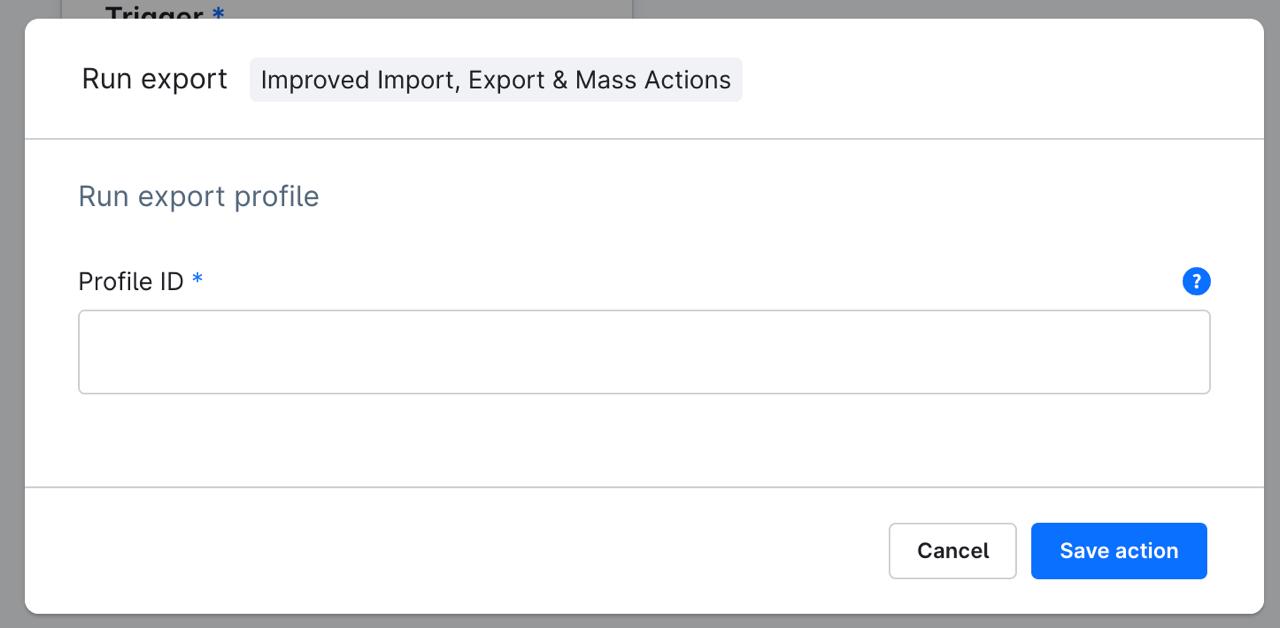
After that, you will need to specify the export profile ID.
-
Next time an order is placed in the store, this profile will be run automatically.
Note that you can configure the export profile to export delta changes only to transfer only newly placed orders.