Advanced Prices as a Separate Entity
Overview
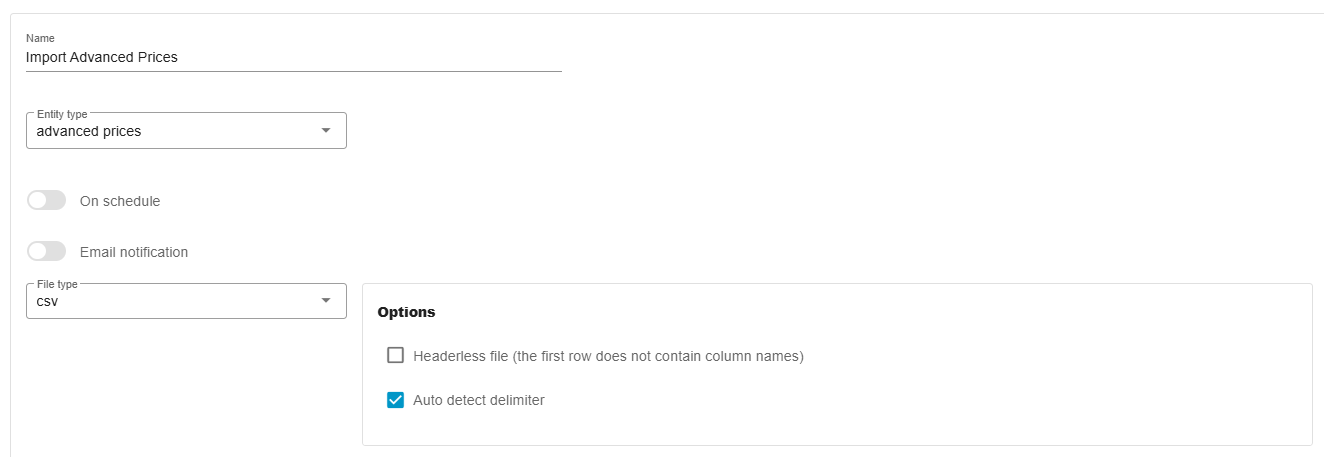
Section titled “Overview”This feature adds a dedicated import/export entity for Advanced Prices, enabling you to manage quantity-based pricing tiers in Shopware 6 efficiently.
Supported Fields
Section titled “Supported Fields”When importing or exporting, the following fields are available. Fields are processed in the order of priority:
- productId — Product UUID (has priority over
productNumber) - productNumber — Product number (e.g., SW10001)
- ruleId — UUID of the price rule (has priority over
ruleName) - ruleName — Name of the price rule (e.g., “All customers”, “VIP customers”)
- quantityStart — Minimum quantity that triggers the price tier (required)
- quantityEnd — Maximum quantity for the price tier (optional for the last tier)
- priceNet — Net price for the quantity range
- priceGross — Gross price for the quantity range
- listPriceNet — List price (net)
- listPriceGross — List price (gross)
- regulationPriceNet — Regulation price (net)
- regulationPriceGross — Regulation price (gross)
Data Format Examples
Section titled “Data Format Examples”CSV Example
Section titled “CSV Example”productId,productNumber,ruleId,ruleName,quantityStart,quantityEnd,priceNet,priceGross,listPriceNet,listPriceGross,regulationPriceNet,regulationPriceGross0195283f926c72e68fbc7dbc72c41c15,SP-BOM2002,019527c9fc0c7194839e02040dc8e406,Cart >= 0,1,,180,180,,,,0195283f926c72e68fbc7dbc72c41c15,SP-BOM2002,019527c9fc3373658987c2578a7f0185,All customers,1,4,151.26,180,,,,XML Example
Section titled “XML Example”<?xml version="1.0" encoding="UTF-8"?><list> <item> <ProductId>0195283f926c72e68fbc7dbc72c41c15</ProductId> <ProductNumber>SP002</ProductNumber> <RuleId>019527c9fc0c7194839e02040dc8e406</RuleId> <RuleName><![CDATA[Cart >= 0]]></RuleName> <QuantityStart>1</QuantityStart> <QuantityEnd></QuantityEnd> <PriceNet>180</PriceNet> <PriceGross>180</PriceGross> </item> <item> <ProductId>0195283f926c72e68fbc7dbc72c41c15</ProductId> <ProductNumber>SP002</ProductNumber> <RuleId>019527c9fc3373658987c2578a7f0185</RuleId> <RuleName>All customers</RuleName> <QuantityStart>1</QuantityStart> <QuantityEnd>4</QuantityEnd> <PriceNet>151.26</PriceNet> <PriceGross>180</PriceGross> </item></list>Import Behavior
Section titled “Import Behavior”Field Priority
Section titled “Field Priority”productIdoverridesproductNumberif both are provided.ruleIdoverridesruleNameif both are provided.
Price Replacement Logic
Section titled “Price Replacement Logic”- Prices are replaced only within the same rule.
- Existing rules not included in the import remain unchanged.
- When importing prices for a rule, all existing entries for that rule are deleted before new records are created.
Automatic Price Calculation
Section titled “Automatic Price Calculation”- If gross price is missing, it is calculated from net price using the product’s tax rate.
- If net price is missing, it is calculated from gross price using the tax rate.
Export Filtering
Section titled “Export Filtering”You can export advanced prices filtered by:
- Product ID
- Product number
- Rule ID
- Rule name
Important Notes
Section titled “Important Notes”Currency Support
Section titled “Currency Support”- Only the system (default) currency is supported in this version.
- Multi-currency support is available — see Multi-Currency Support.
Quantity Ranges
Section titled “Quantity Ranges”quantityStartmust be specified for every tier.quantityEndcan be left empty for the last tier to indicate no upper limit.- Quantity ranges in the same rule must not overlap.
Validation Rules
Section titled “Validation Rules”- At least one of
productIdorproductNumbermust be provided. - At least one of
ruleIdorruleNamemust be provided. - Either
priceNetorpriceGrossis required (the missing value will be auto-calculated). - Referenced products and rules must already exist in Shopware.