Import Product Categories
You can import product categories using one of the following fields:
categories_all_paths— contains the full category path from the root category. If a category doesn’t exist in your store, our app will create it automatically.categoryIds— category UUIDs separated by a pipe symbol|
Here’s an example of your store’s structure:
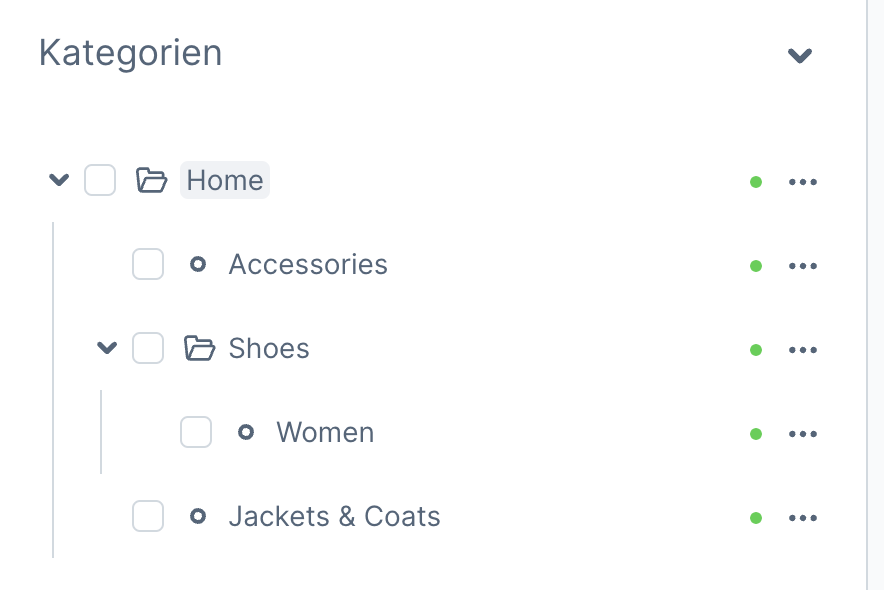
To assign a product to the Women category, use either:
| productNumber | categories_all_paths |
|---|---|
| FBPRD001 | Home/Shoes/Women |
or
| productNumber | categoryIds |
|---|---|
| FBPRD001 | 01949d590ee775e09a05e27a30b18875 |
To assign a product to multiple categories, separate them with a pipe symbol |:
| productNumber | categories_all_paths |
|---|---|
| FBPRD001 | Home/Shoes/Women|Home/Accessories |
Replace Product Categories
Section titled “Replace Product Categories”By default, our app uses append behavior, meaning categories from the import file are merged with existing product categories.
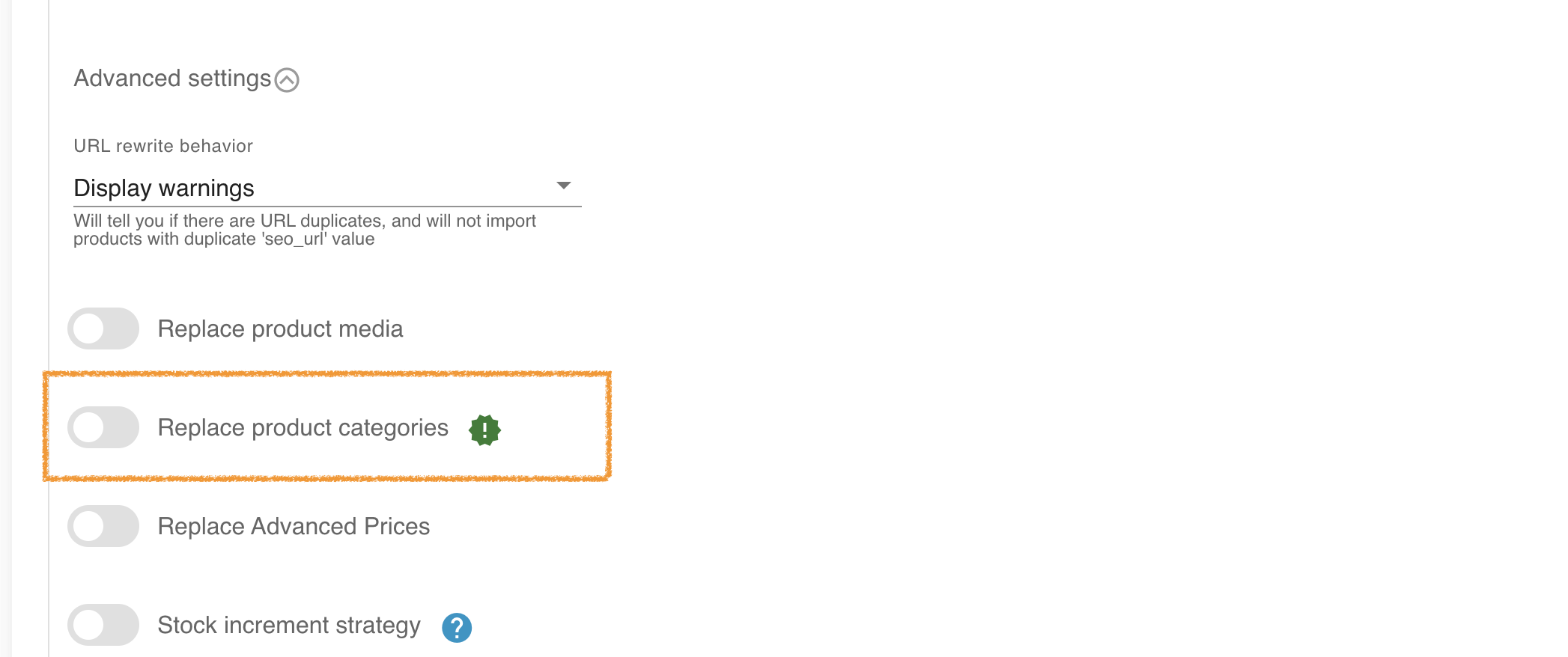
To replace existing categories instead, enable the Replace product categories option in the import profile settings. This will first remove all current product-category associations before importing new categories.
☝ Tip: You can remove all product categories by enabling Replace product categories and using an empty
categories_all_pathsvalue.