Export Order Line Item Payload Fields
This feature allows you to export product information from Shopware orders stored in dynamic line item payload fields.
Although products are stored inside the order’s line item payload, by default, this data is not visible in exports. You can now include it.
Workflow
Section titled “Workflow”-
Open or create an Order Export Profile.
-
Go to Step 2 – Mapping.
-
The app loads one random order from Shopware.
-
All top-level payload fields from order line items are automatically detected.
New dynamic fields appear using this pattern:
lineItems.payload.FIELD_NAMEExample:
lineItems.payload.productNumber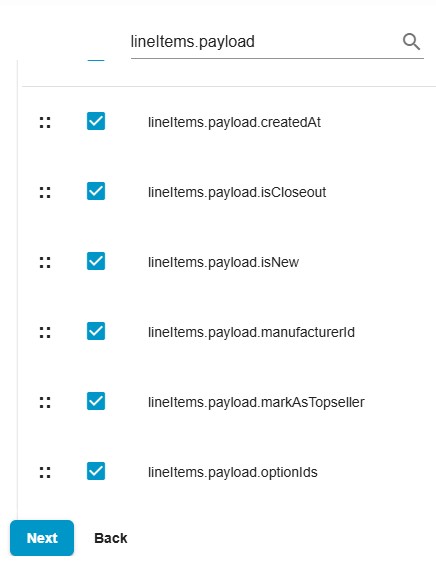
-
Select or deselect the payload fields you want to export.
-
Save and run the export.
Important Notes
Section titled “Important Notes”- Only top-level scalar payload fields are added automatically:
- string
- number
- boolean
- null
- Nested objects and arrays are not added.
- Exported column names keep the exact format:
lineItems.payload.FIELD_NAME - The scope applies to the Shopware export only.
- No changes for Shopify or import logic.
Refunded product information stored inside order line item payload becomes available in the export file for reporting and analysis.