EAN Product Import
We’ve introduced the ability to import products using the EAN (European Article Number) as an alternative to SKU (product_number). This feature allows you to update existing products, but please note that new products cannot be created using the EAN.
Additionally, the product_number can also be updated during import using EAN. If you do not wish to update the product_number, ensure it is not mapped or included in your import file.
All product attributes available for import can be updated using the EAN, with the exception of tags and SEO URLs — these can only be updated using the product_number. It means that you need both the ean and product_number columns to update ALL product attributes.
How to Use EAN Import
Section titled “How to Use EAN Import”To update products in Shopware 6 with the help of EAN, add the ean column to your CSV file:

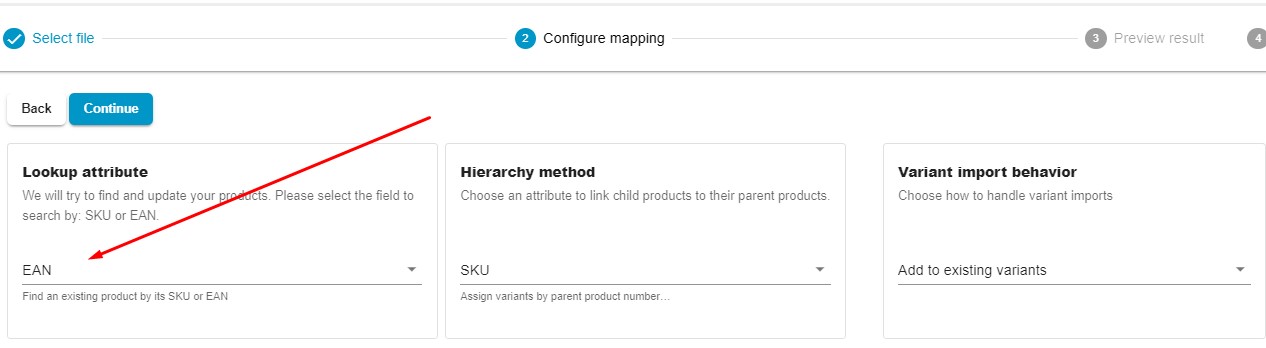
Create a new import profile and configure its basic settings. Next, choose EAN instead of SKU in the Lookup Attribute section on the mapping screen:
Configure other parameters and import the update.